UX design training: 10 modules, 15 days, one decision you can defend.

UX design training built around one guided UX case study, from first idea to final design. The AI-Era UX Mastery program runs 15 days of live classes (30+ hours), about 2 hours a day.

UX design training: AI-Era UX Mastery course structure

Topics and subtopics, how AI is used, and what you add to your case study.

1

UX Foundations & Product Thinking in the AI Era

Day 1 · Module 1

Understand what UX really is, and learn to solve the right problem before designing any screen.

  1. What UX actually is
    • UX vs UI vs CX vs Product Design
    • Usability, usefulness and desirability
  2. How AI is reshaping UX work
    • Tasks AI automates vs decisions humans own
    • New roles: AI UX designer, conversation designer
  3. The complete UX workflow
    • Discover → Define → Design → Deliver → Measure
    • Where AI fits at each stage
  4. Problem framing
    • Symptom vs problem
    • Problem statements and "How might we…" questions
    • Aligning user needs with business goals
2

User Research: Human Insights Meets AI

Days 2–3 · Module 2

Understand real users, and use AI to prepare and speed up the work.

  1. Research foundations
    • Qualitative vs quantitative, generative vs evaluative
    • Choosing the right method
  2. Planning research
    • Research goals and questions
    • Recruiting participants and consent
  3. User interviews
    • Writing an interview guide (AI-assisted)
    • Moderating, active listening, avoiding bias
  4. Competitive research
    • Competitor analysis and heuristic review
  5. AI in research, the right way
    • Transcription and summaries
    • Synthetic users: uses and limits
    • Privacy and research ethics
3

Research Synthesis, Personas & User Journeys

Day 4 · Module 3

Turn research data into insights a team can act on.

  1. Research synthesis
    • Affinity mapping and finding patterns
    • AI-assisted theme clustering
  2. Personas and Jobs to be Done
    • Data-driven personas vs stereotypes
    • Job stories
  3. Empathy and journey maps
    • Empathy maps
    • Customer journey maps and pain points
  4. Communicating insights
    • Insight statements and presenting findings
4

Information Architecture & User Flow Design

Day 5 · Module 4

Organise content and tasks so users always know where they are and what to do next.

  1. IA fundamentals
    • Organisation, labelling, navigation and search
    • Mental models
  2. Card sorting and tree testing
    • Open vs closed card sorts and analysing results
  3. Sitemaps
  4. User flows
    • Happy paths, edge cases and error states
    • Flow diagrams in FigJam
5

Interaction Design & Wireframing

Days 6–7 · Module 5

Shape how the product behaves before it looks polished.

  1. Interaction design principles
    • Affordances, signifiers, feedback, constraints
    • Nielsen's 10 usability heuristics
    • Fitts's, Hick's and Jakob's laws
  2. Sketching and low-fidelity wireframes
  3. Digital wireframing in Figma (taught from scratch)
    • Layout, grids and content hierarchy
  4. States, errors and edge cases
    • Loading, empty, error and success states
  5. Responsive and mobile-first design
    • Breakpoints and real device constraints
6

UI Design, Design Systems & Prototyping

Days 8–9 · Module 6

Create clear, consistent interfaces and make them clickable.

  1. Visual design fundamentals
    • Typography, colour, spacing, hierarchy
    • Gestalt principles
  2. Design systems
    • Components, variants and design tokens
    • Material Design and Apple guidelines
  3. Prototyping in Figma
    • Interactions, smart animate and variables
  4. AI prototyping tools
    • Prompt-to-UI tools: speed vs control
    • Reviewing and refining AI-generated designs
  5. Developer handoff
    • Specs, dev mode and documentation
7

Usability Testing, UX Metrics & Iteration

Days 10–11 · Module 7

Prove that a design works with evidence, not opinions.

  1. Usability testing methods
    • Moderated vs unmoderated, remote vs in-person
  2. Planning and running tests
    • Test plan, tasks and scripts
    • Think-aloud protocol
  3. Analysing results
    • Severity ratings and prioritisation
    • Iterating from evidence
  4. UX metrics
    • Task success, time on task, error rate
    • SUS and the HEART framework
8

Designing AI-Powered Products & Experiences

Days 12–13 · Module 8

The fastest-growing area of UX: experiences where AI is part of the product.

  1. How AI products work, for designers
    • LLMs, generative AI and agents in plain language
    • Why AI is sometimes wrong
  2. Conversational UX
    • Chatbot flows, tone and personality
    • Prompt design as a UX skill
  3. Copilots and agents
    • Human-in-the-loop patterns and automation levels
  4. Designing for trust
    • Transparency, source citations, confidence signals
    • User control, undo and override
  5. Handling AI errors
    • Hallucinations, failure states and graceful fallbacks
9

Accessibility, Design Ethics & Responsible AI

Day 14 · Module 9

Design products that work for everyone and do no harm.

  1. Accessibility in practice
    • WCAG 2.1 AA principles (POUR)
    • Keyboard, screen reader and contrast checks
  2. Inclusive design
    • Designing for diverse ages, abilities and languages
  3. Ethical design
    • Dark patterns and how to avoid them
    • Privacy and informed consent
  4. Responsible AI
    • Bias, fairness and disclosure
10

Design Presentation, Portfolio & Career Readiness

Day 15 · Module 10

Stand behind every decision you made, and turn the project into a case study that gets interviews.

  1. Decision, reason, evidence
    • Structuring a design rationale
    • Success metrics for your solution
  2. Defending a choice under questioning
    • Handling stakeholder pushback and critique
  3. Portfolio case study
    • Structure of a strong UX case study
    • Showing your process and AI use honestly
  4. Career next steps
    • Resume, LinkedIn and interview preparation
    • Paths: product roles, freelance, agency, your own product

UX design training: AI-Era UX Sprint course structure

The 2-day taster for exploring UX before committing. Four hours live, two sessions of two hours each.

1What is UX, and why does it matter?Day 1 · 2 hours

Get set up, then see UX in everyday things and where AI helps and where you decide.

  1. Welcome, setup check and a story from an airport
  2. What UX is: doors, school bags and umbrellas
  3. Game: UX or UI? and the $300 million button
  4. What AI can do, and what only you can do
  5. The 5 steps of UX, then your App Detective homework
2Find the real problem, then draw itDay 2 · 2 hours

Turn a vague complaint into a clear problem, then sketch your first screen.

  1. Recap and your App Detective stories
  2. Symptom vs problem: keep asking “why?”
  3. Write your problem in one sentence, then “How might we…?”
  4. Draw your first wireframe: paper, then Figma
  5. Show and tell, and what comes next

Choose your program

Compare the programs in our UX design training and open the course structure, then reserve your seat.

AI-Era UX Sprint

Best for exploring UX before committing

₹2,000 ₹1,5002 days · 25% off

  • 4+ hours of live training
  • Introduction module
  • AI in the workflow, introduced
  • Understand the UX process and build your first wireframe
Course structure

Day 1 · 2 hours

What is UX, and why does it matter?

  1. Welcome, setup check and a story from an airport
  2. What UX is: doors, school bags and umbrellas
  3. Game: UX or UI? and the $300 million button
  4. What AI can do, and what only you can do
  5. The 5 steps of UX, then your App Detective homework

Day 2 · 2 hours

Find the real problem, then draw it

  1. Recap and your App Detective stories
  2. Symptom vs problem: keep asking “why?”
  3. Write your problem in one sentence, then “How might we…?”
  4. Draw your first wireframe: paper, then Figma
  5. Show and tell, and what comes next
Reserve your UX course seat

Not sure? Start with Mastery — it includes everything in the Sprint. Plan for about an hour of project work between Mastery sessions. Prefer hands-on experience? See the 6-month Apprenticeship.

One Project. From First Idea to Final Design.

Instead of working on unrelated exercises, you'll develop one guided UX case study throughout the program. Using a realistic product scenario, you'll apply each concept step by step — from understanding user needs and defining problems to designing, prototyping, and testing solutions. By the end, you'll have a complete project that demonstrates your UX thinking and design skills.

  1. Research feeds personas
  2. Personas feed structure
  3. Structure feeds flows
  4. Flows feed wireframes
  5. Wireframes feed testing
  6. Testing feeds the final design defence
Every artifact you produce carries three things: the decisionthe reasonthe evidence behind it

How AI is taught

In our UX design training, AI is taught as a capability, not as a list of tools — the tool you learn today may not exist in 18 months, but the workflow will. Three kinds of AI exercise run through the modules:

Accelerator

Generate five alternatives, then evaluate them yourself.

Critic

Ask AI to find usability risks in your flow, then verify each one.

Challenger

Brief AI as a tough stakeholder to argue against your decision before a real room does.

You are never taught to accept AI output unchecked.

About our UX design training

Our UX design training is live, mentor-led and built around one guided UX case study, so you finish with work you can explain and defend. It suits beginners, students, career switchers and designers who want to add AI to their workflow.

The UX design training is taught online in English, Hindi or Telugu by a UX Manager with 18 years in UX. You work in small batches, practise every concept on your own project and get regular critique. A laptop and a free Figma account are enough to start.

Want to know what good UX looks like before you enrol? The Nielsen Norman Group's 10 usability heuristics are a classic reference to read alongside this UX design training. Questions? Read the UX course FAQ or book a free guidance call.
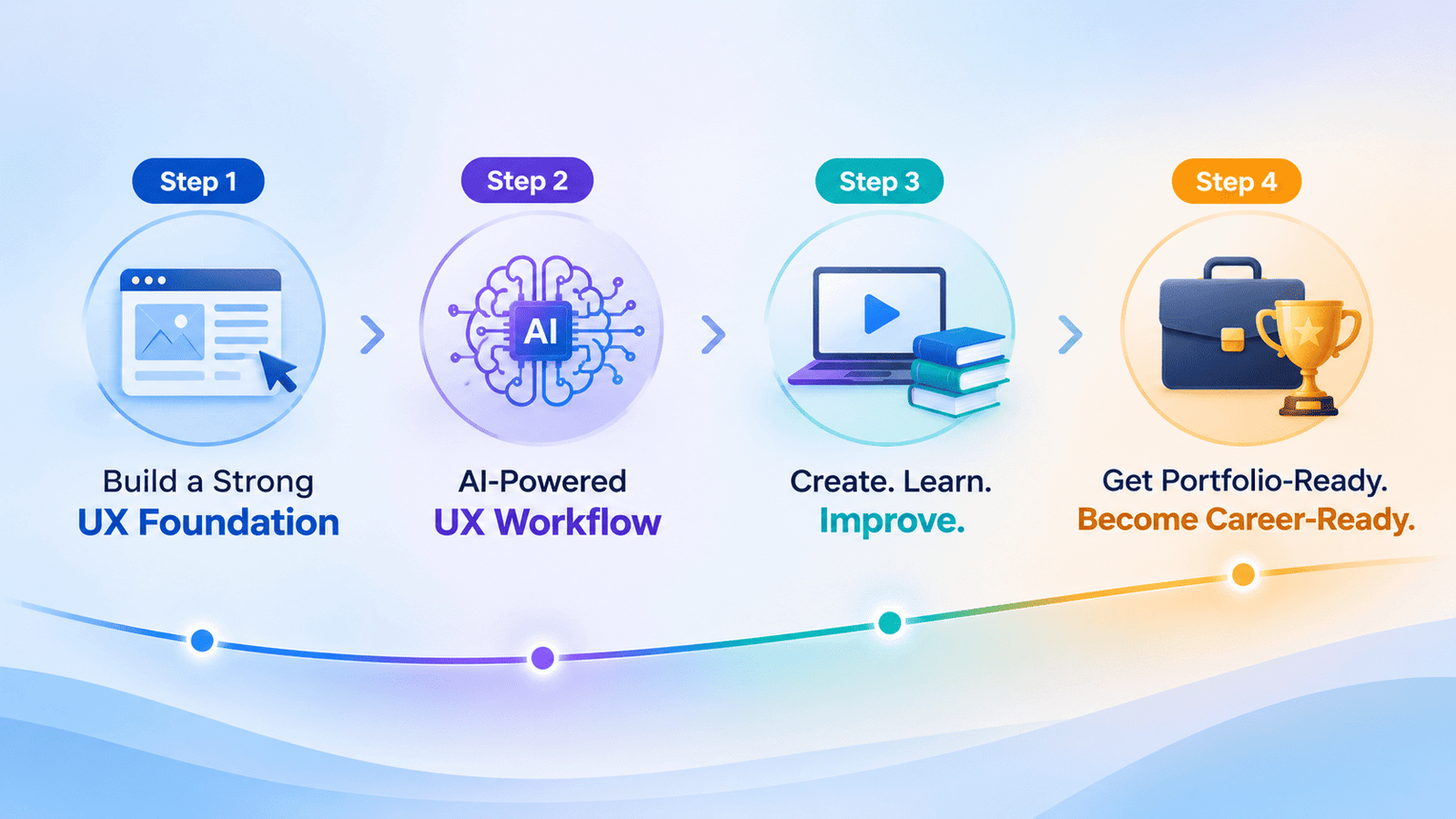
Four-step UX + AI learning roadmap taught in our UX design training

What you leave with

Problem framingResearch summaryPersonas and journey mapInformation architectureWireframesInteractive prototypeUsability test reportAI featureDesign defence